How do I open a hospital scan CD?#
- Insert the CD and copy its complete contents into a new Desktop folder, including DICOMDIR and all image folders.
- Open the DICOM viewer in a current browser.
- Choose the copied folder with 'Choose folder' or drag it onto the drop zone. Wait for the import, then select a series.
First: what's actually on the disc?#
- A folder (often
DICOM,IMAGES, or patient-named) containing hundreds of small files with names likeIM00001,IM00002, or1.dcm. These are your scan slices. - A
DICOMDIRfile (no extension), the disc's index. - A Windows
.exelauncher, usually with a generic name. Often old, often broken on modern Windows, never needed. Skip it. - Sometimes a PDF of the radiology report.
Step 1 — Get the disc into the computer#
- Has a CD drive? Just insert it.
- No CD drive (most modern laptops)? Use a compatible external USB CD/DVD drive, copy the disc on another computer, or ask the imaging center for a USB copy or download link. Availability and any fee depend on the provider.
- Disc doesn't mount at all? Try it on another computer. If copying fails on another compatible drive or computer, ask the imaging center for a fresh disc or complete DICOM download.
Step 2 — Copy, don't open in place#
Copy the entire disc into a new folder on your computer, preserving DICOMDIR and every image folder beside it. Wait for copying to complete. Work from the local copy and keep the original disc as a backup.
Step 3 — Open OpenMyScan#
Open the DICOM viewer in a current browser. The page offers a 'Choose folder' button and a drop zone.
Step 4 — Drop it in#
Drag the Desktop copy of the DICOM folder onto the drop zone, or click 'Choose folder' and select the copied parent folder. Wait for the import to finish. Loading time varies with file size, encoding, browser, and computer.
Step 5 — Browse#
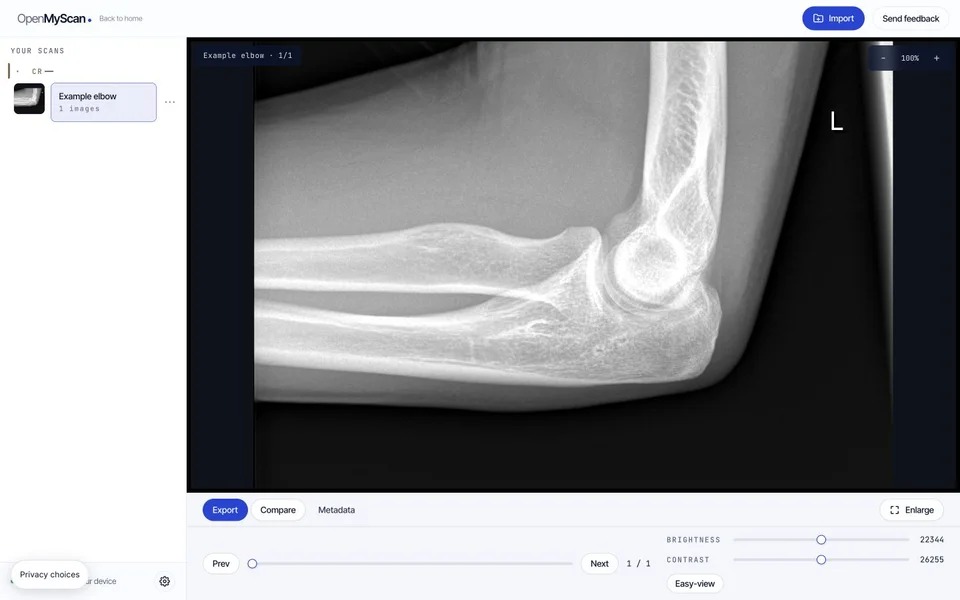
You'll see a list of "series" (T1, T2, axial, coronal for an MRI; different orientations and contrasts for CT). Click each to page through slices. The free DICOM viewer supports common MRI, CT, X-ray, and ultrasound image studies, using the same drop-and-browse flow.
How do I keep a backup of the disc?#
Discs scratch, drawers shuffle. Keep a complete copy on a device or storage service you trust. DICOM can contain patient details; ZIP packaging alone does not guarantee encryption. Use the receiving clinic's instructions when transferring a study. Keep the original folder structure intact so it remains useful later.
Which files should I keep together?#
Copy the whole disc into one new folder, including DICOMDIR and all image folders beside it. Keep their names and subfolders unchanged. The index alone has no image pixels; files named IM000001 can be valid images even without a .dcm extension. Our DICOMDIR guide shows what belongs together.
If your scan arrived as a download, follow the Mac and Windows ZIP instructions before choosing the extracted folder.
What should I check if my scan still will not open?#
| What happens | What to try |
|---|---|
| No files load after a drop | Use the folder picker and select the copied parent folder. Check that it contains actual image files. |
| Only a report or DICOMDIR appears | Ask the sender for the complete DICOM study, including its image folders. |
| Only one series appears | Check the series list and compare the copied folder with the original. One loaded series does not prove the export is complete. |
| A frame produces a decoding error | Keep the exact message. Try the original file in another compatible viewer or request a fresh export. |
See the DICOM troubleshooting guide for blank images, incomplete downloads, and browser errors. Use a desktop or laptop and a viewer window at least 1200 pixels wide; a small-window notice is different from a damaged-file error.
Should I worry about losing my scan?#
- Am I uploading this to you when I drop it?
- Your original scan files are read locally without a scan upload. You can continue viewing an already loaded study while the tab stays open; load the intended files and features online first, because uncached decoders or features may need a connection.
- Is your privacy protected?
- Your selected original scan files are read on your device without a scan upload. Local previews and settings can remain after the tab closes; use your browser’s site-data controls to remove them completely.
- What if I want a doctor to look too?
- Two options. (1) Give them the original CD. (2) Create a share-package ZIP in OpenMyScan. This produces a local package; it does not upload or deliver it. Ask the receiving clinic which transfer method it accepts.
Common questions#
The CD came with a launcher. Am I supposed to use it?
No. The bundled launcher is an optional viewing application, separate from the original DICOM images. Copy the complete study and open it in a compatible viewer; you do not need to bypass a security warning.
Do I need a special computer?
A supported browser with hardware acceleration available is needed. A dedicated graphics card is normally unnecessary; compatibility depends on the browser, computer, and study.
What if I have multiple CDs from different hospitals?
Open each folder in OpenMyScan one at a time. Each keeps the original hospital's metadata.
What if my hospital CD has an installer (.exe / .app)?
Ignore it. Those launchers are often broken on modern computers. Copy the DICOM folder off the disc and open that folder in OpenMyScan instead.